That screenshot you took five minutes ago has a meeting link, a confirmation code, and a phone number buried in it. SnapPulse finds them all automatically — using on-device OCR and Apple Intelligence — so you can act on them with a single click instead of squinting at pixels.

You screenshot a meeting link, a confirmation code, a shipping address — then they vanish into a folder of hundreds of identical-looking files. By the time you need that information, you're scrolling through thumbnails trying to remember which screenshot had it.
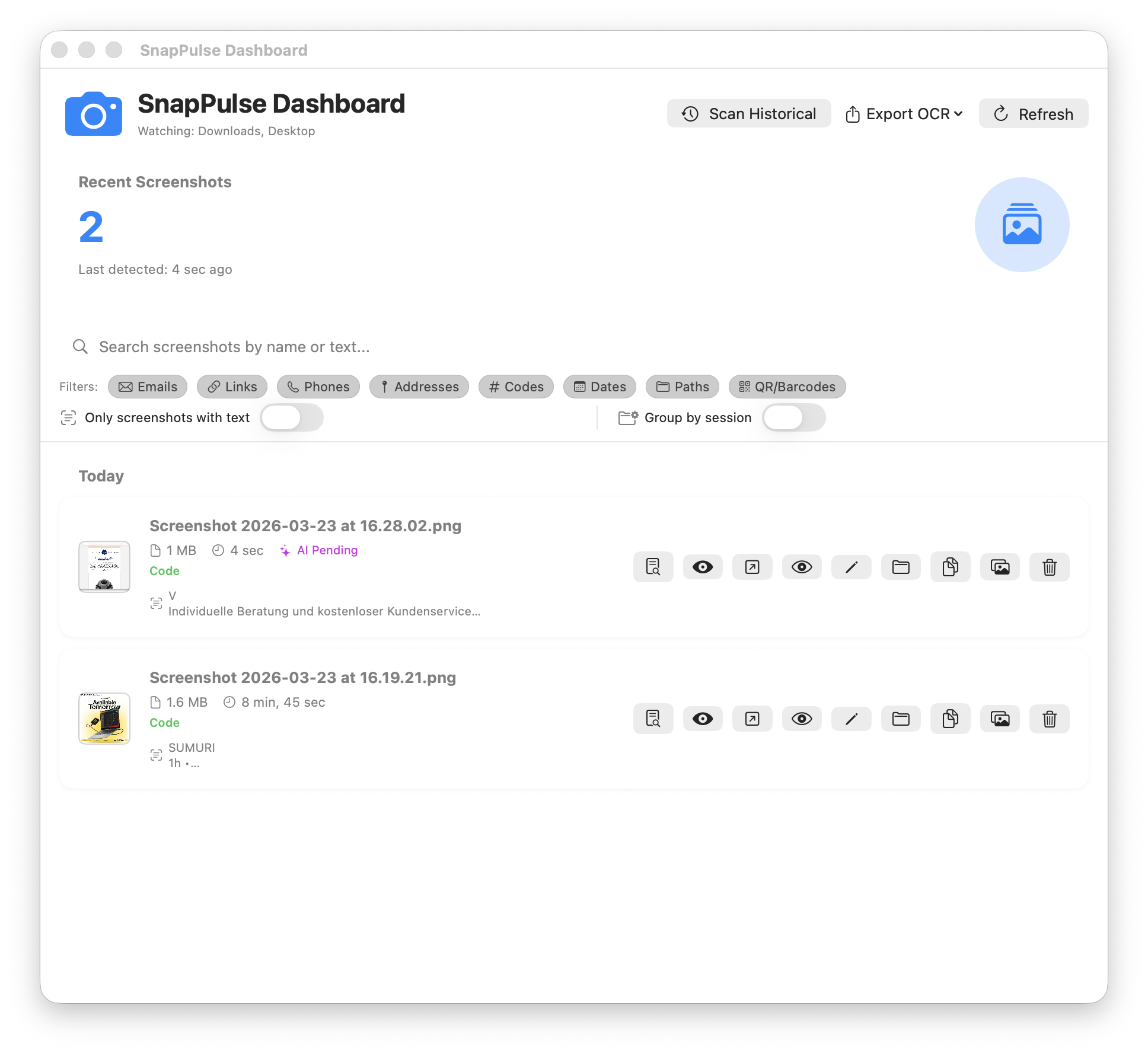
SnapPulse runs silently in your menu bar, watching for new screenshots and instantly turning them into structured, searchable data.
The problem: You have to open each screenshot and manually read the text — or try to remember which file had the info you need.
The fix: Apple's Vision framework extracts all text from every screenshot automatically, categorized by screen region with weighted scoring that prioritizes the most meaningful content. QR codes and barcodes are detected too.
The problem: That screenshot has a link, a phone number, and a code in it — but you can't copy any of them.
The fix: SnapPulse identifies and extracts 8 types of structured data — links, emails, phone numbers, addresses, codes, dates, file paths, and QR/barcodes — each with a visual badge showing the count.
The problem: Even after finding the right screenshot, you have to manually transcribe a meeting link or code.
The fix: Detected entities generate contextual actions — join Zoom/Meet/Teams directly, copy codes to clipboard, open addresses in Maps, call phone numbers, or compose emails. The most relevant action is surfaced automatically.
The problem: Ten screenshots from a research session are scattered across your timeline with no connection between them.
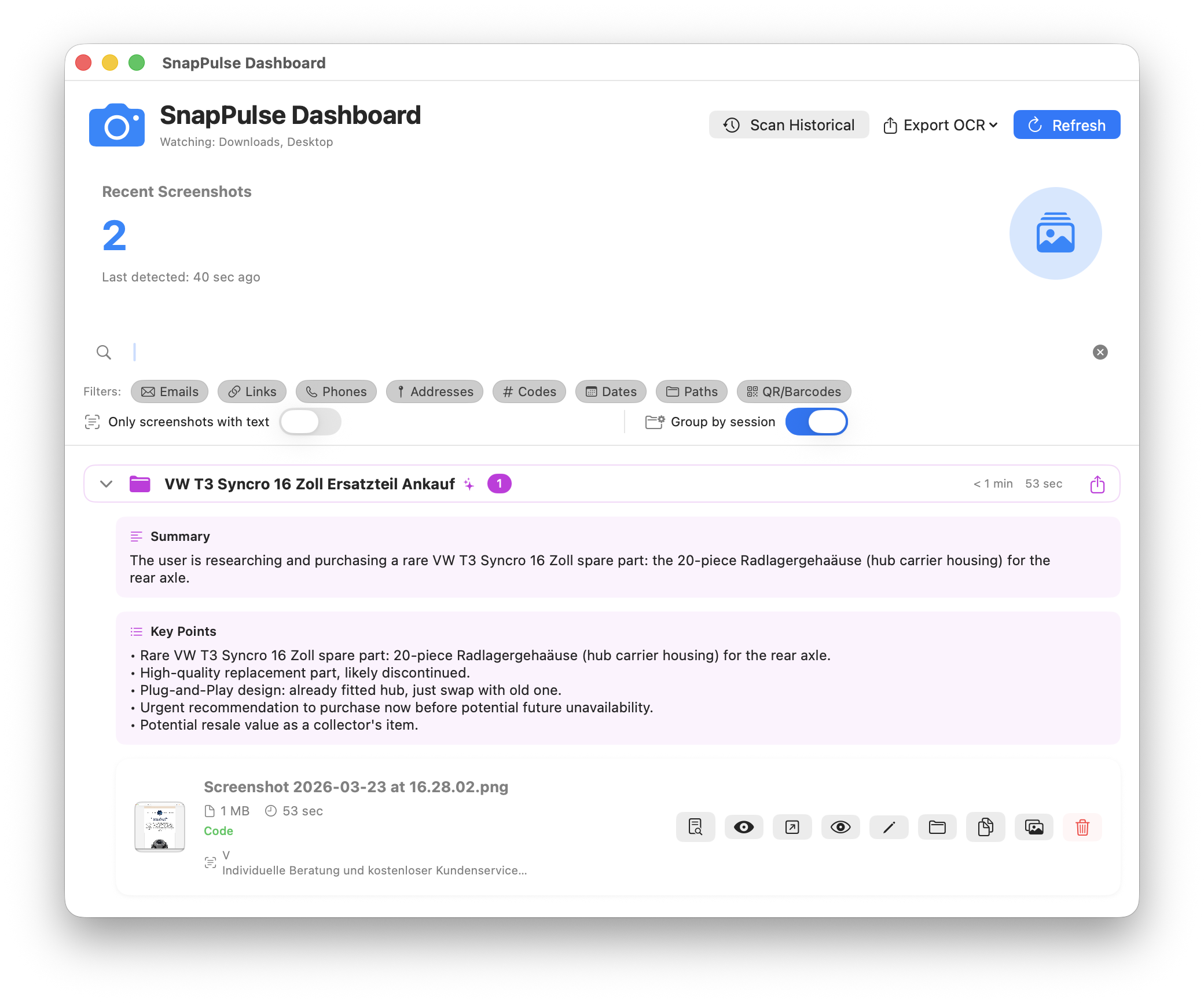
The fix: SnapPulse automatically groups related screenshots into sessions based on time proximity and content similarity — showing start/end times, duration, and the domains you visited.
The problem: You can't remember what a group of screenshots was about without opening each one.
The fix: On supported hardware, Apple Intelligence generates descriptive session titles, natural language summaries, and key insights — all processed entirely on-device. It even summarizes foreign-language screenshots in English, so a German email or Japanese web page becomes instantly readable. No cloud, no API calls.
The problem: macOS Finder search doesn't look inside screenshot images.
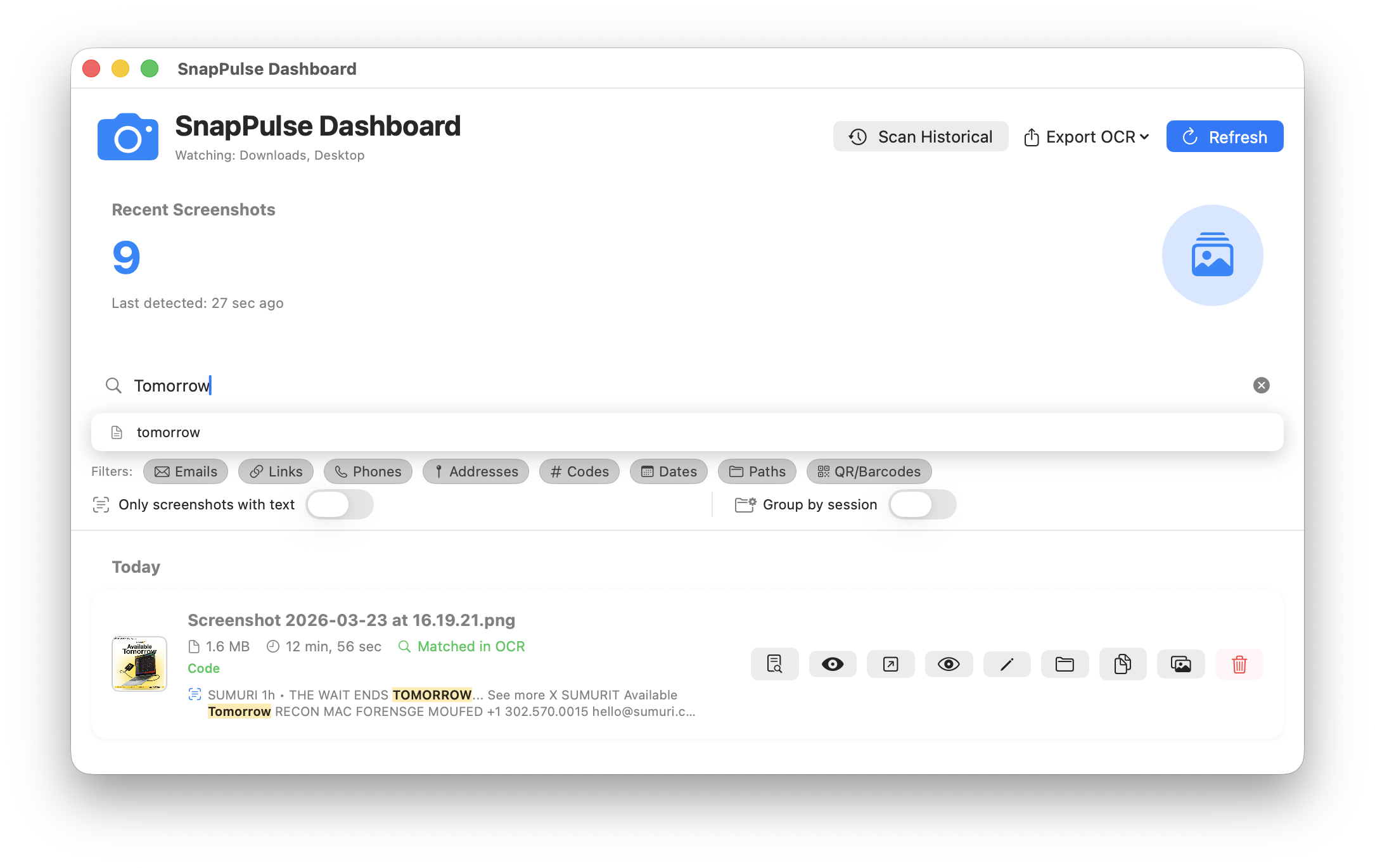
The fix: Search across all OCR-extracted text, filenames, and detected entities in real time. Filter by entity type with one-click chips — show only screenshots with emails, links, codes, or any combination. Toggle "text only" to hide screenshots with no recognized content.
When you enable session grouping, SnapPulse clusters related screenshots and — on Apple Silicon with Apple Intelligence — generates smart titles like "Swift UI Thread Management and Concurrency" instead of generic timestamps. Each session gets a natural language summary and key insights with action items.
Bonus: because Apple Intelligence processes text on-device, it naturally summarizes foreign-language content in your system language. Screenshot a German email or a Japanese product page and get an English summary — no translation step needed.
All AI processing happens entirely on-device via Apple's Foundation Models framework. When Apple Intelligence isn't available, sessions fall back to domain-based titles. A disclaimer is shown noting that AI-generated content may not always be accurate.
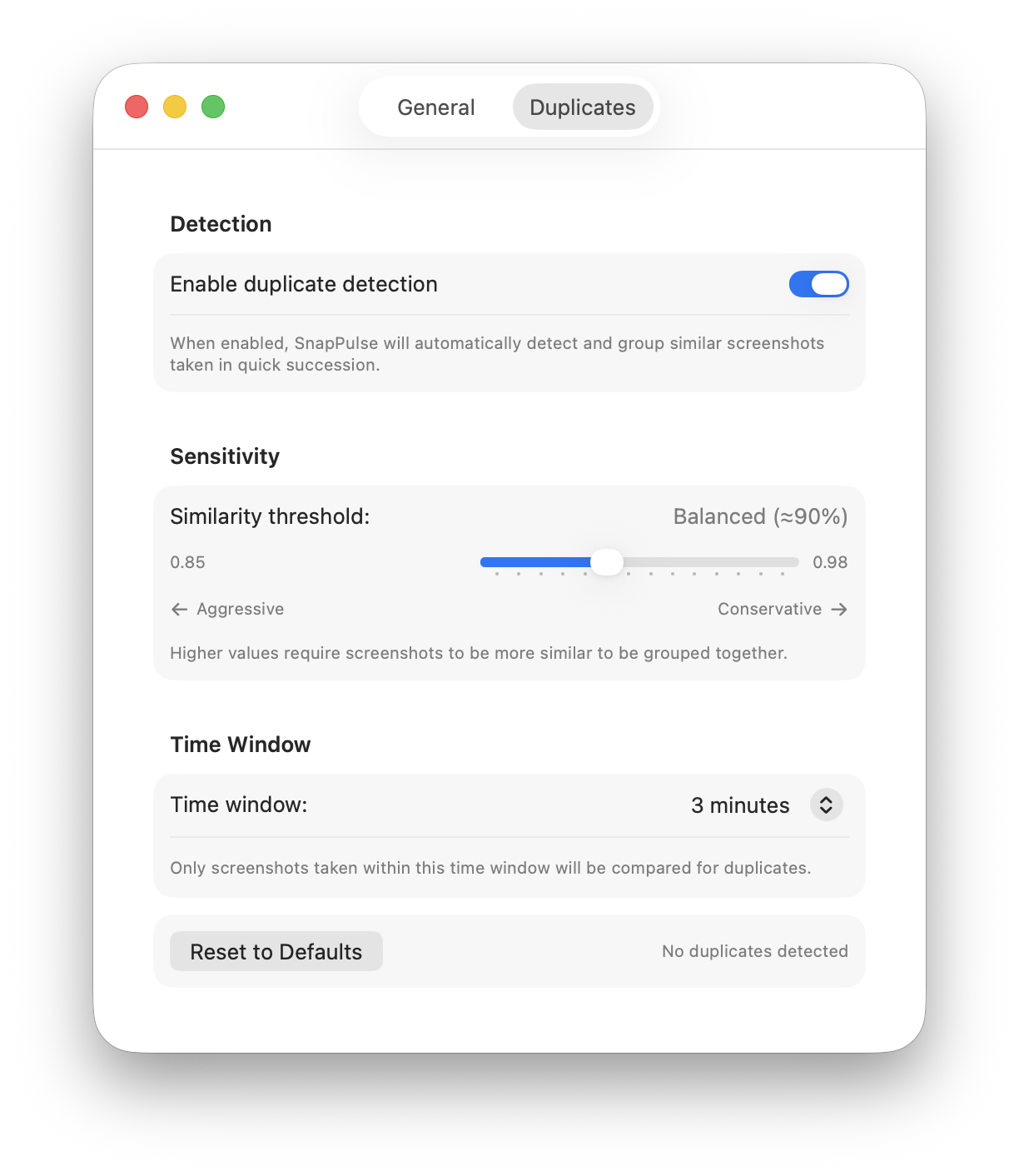
Perceptual hashing (dHash) detects near-duplicate screenshots taken in quick succession. Configurable similarity threshold (85–98%) and time window (30 sec–15 min) with visual grouping and similarity percentages.
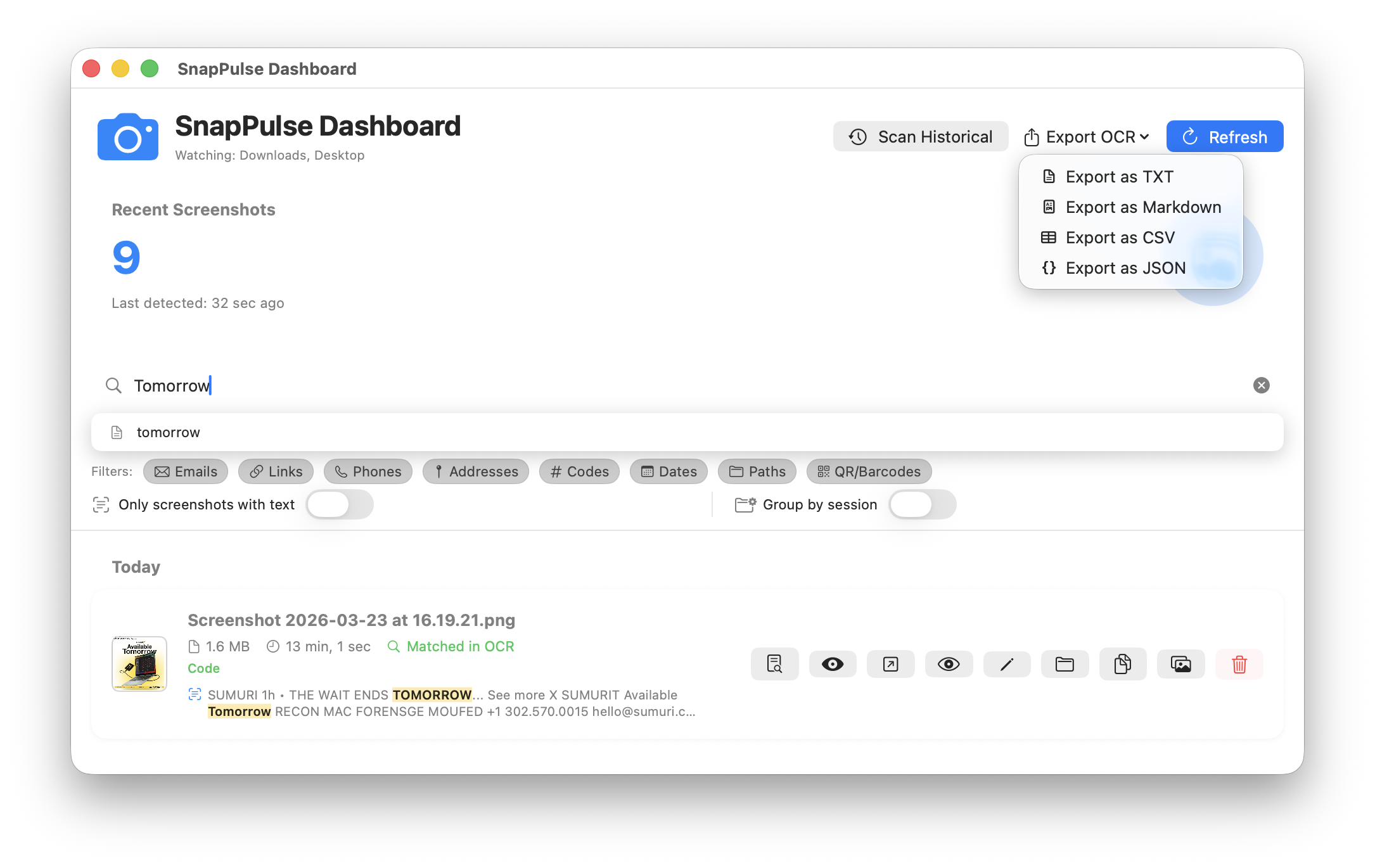
Export extracted text in four formats — plain text, CSV, JSON, or Markdown. Available for individual screenshots or in batch across selections. Perfect for documentation, reporting, or feeding data into other tools.
Each screenshot is automatically classified into one of 12 content types and tagged with relevant labels. SnapPulse recognizes 14 applications by their UI signatures — from Zoom and Slack to VS Code and Terminal.
Search across all OCR-extracted text — matches are highlighted in real time.
Export OCR data as TXT, Markdown, CSV, or JSON — individually or in batch.
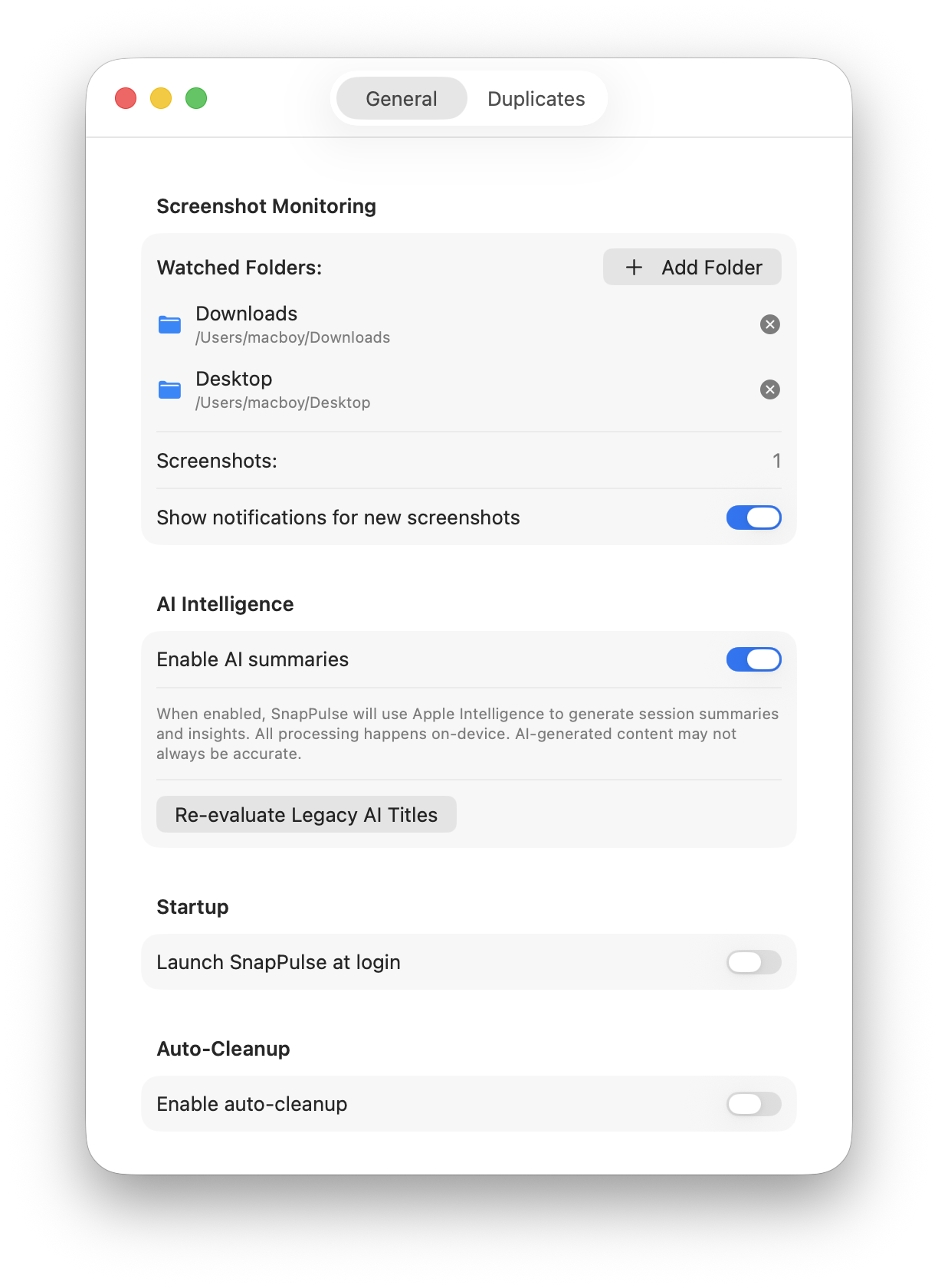
Watch multiple folders, enable AI summaries, configure auto-cleanup and notifications.
Adjust sensitivity from aggressive to conservative and set the comparison time window.
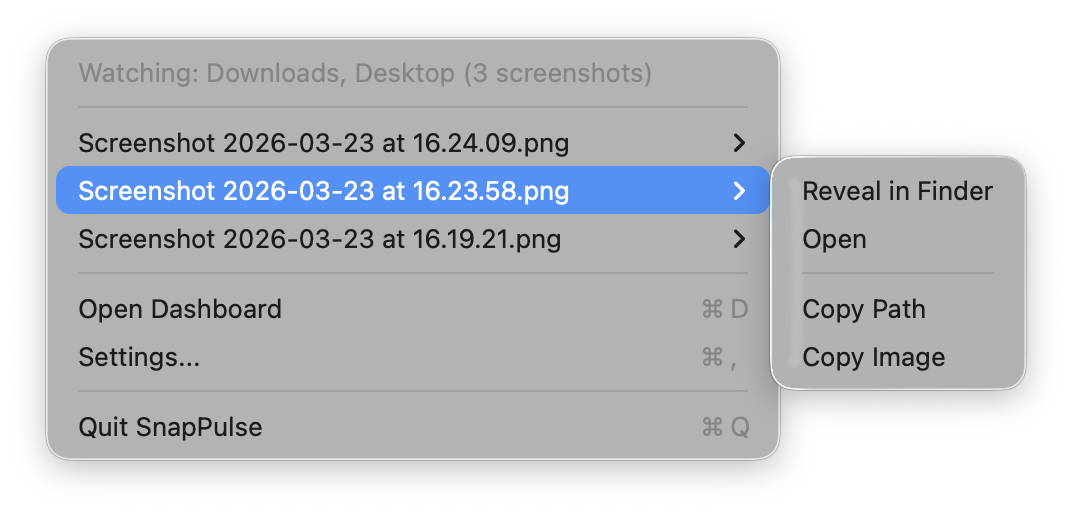
SnapPulse lives in your menu bar — showing a live screenshot count and quick access to your five most recent screenshots. Each entry has sub-actions to reveal in Finder, open, copy path, or copy the image directly.
Press ⌘D to open the full Dashboard or ⌘, for Settings. The app runs silently with practically zero CPU impact.
SnapPulse is coming soon to the Mac App Store. Lightweight, private, and built 100% with native macOS frameworks.
Coming Soon on the Mac App Store