New — v1.1 with Custom Scan Schedules

Never see "disk full"
ever again

You know the feeling — a project deadline hits and your Mac says "disk full." DiskPulse lives in your menu bar, watching the folders that matter and alerting you before storage becomes an emergency. Whether you're a creative pro, a developer, or just someone who hates surprises.

Coming Soon on the Mac App Store See How It Works
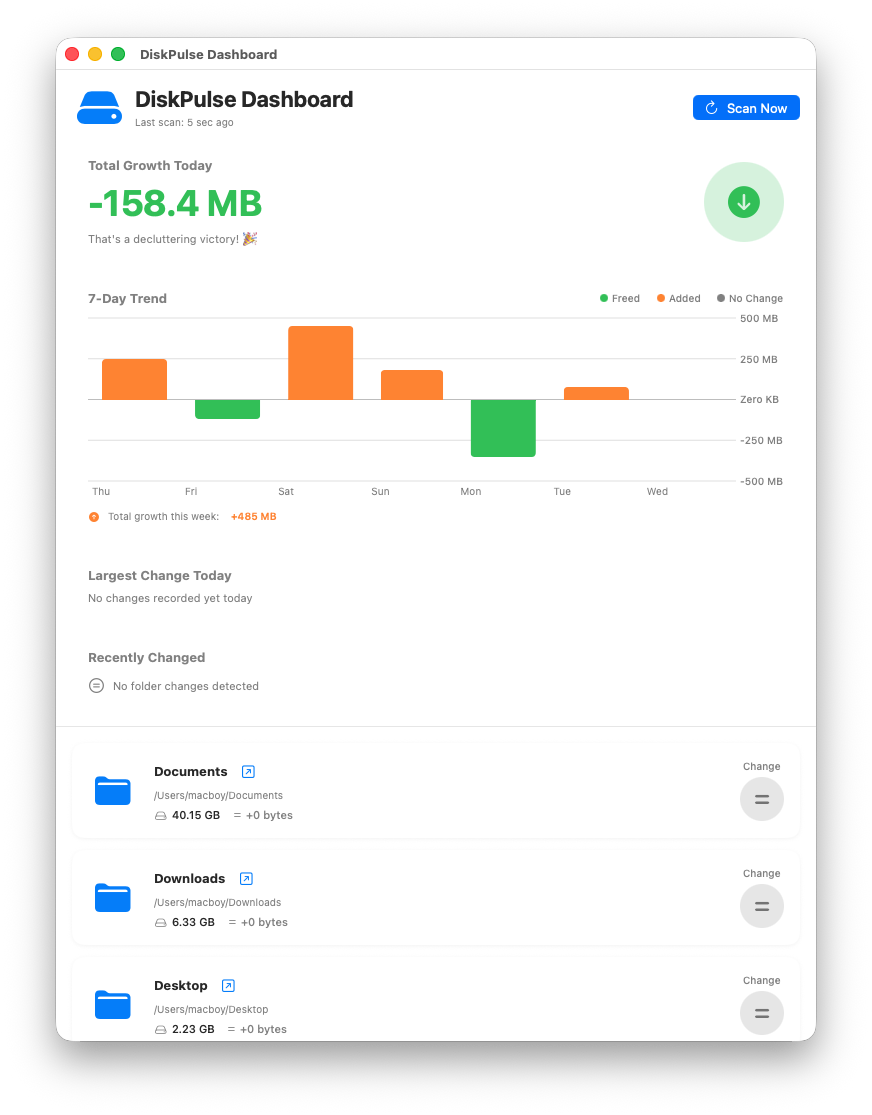
DiskPulse Dashboard showing 7-Day Trend chart, total growth summary, and monitored folder list

Your Mac doesn't warn you
until it's too late

macOS only alerts you when your disk is nearly full — by then, your Xcode project won't compile, your photo import chokes, and that critical presentation refuses to save. You're left playing detective, hunting through folders trying to figure out what ate 20 GB overnight.

Know exactly where your
storage is going — in real time

DiskPulse is a lightweight, native macOS utility that watches the folders you care about and tells you the moment something changes.

Core

7-Day Trend Charts

The problem: You have no idea whether your storage is growing or shrinking from day to day.

The fix: Color-coded bar charts show daily changes at a glance — green when space is freed, orange when it's consumed. Whether you're a developer watching build artifacts or a photographer tracking RAW imports, patterns jump off the screen.

New in v1.1

Custom Scan Schedules

The problem: A single scan timer wastes resources on quiet folders and misses changes in busy ones.

The fix: Set independent intervals per folder — every 1 minute for your Downloads, every 1 day for your photo library. Each folder gets its own timer.

Core

Intelligent Ignore List

The problem: System files, caches, and temporary junk inflate your numbers and trigger false alarms.

The fix: A customizable ignore list filters noise like .DS_Store, .cache, or developer folders like node_modules — so your data reflects real, meaningful changes only.

Smart Notifications

The problem: A massive download, video export, or app update silently fills your disk while you're focused on something else.

The fix: Configurable alerts fire the moment a large file lands (100 MB–5 GB threshold) or a folder spikes unexpectedly. You'll know before it's a crisis.

Instant Change Detection

The problem: Periodic-only scanning means changes slip through between intervals.

The fix: DiskPulse uses macOS's built-in file system events to detect changes within seconds — even between scheduled scans — so you always have a complete, up-to-the-moment picture.

Lives in Your Menu Bar

The problem: Heavy utility apps clutter your Dock and eat system resources.

The fix: DiskPulse runs silently in your menu bar — one click for a quick summary, keyboard shortcuts for instant scans, and practically zero CPU impact. Set it and forget it.

New in v1.1

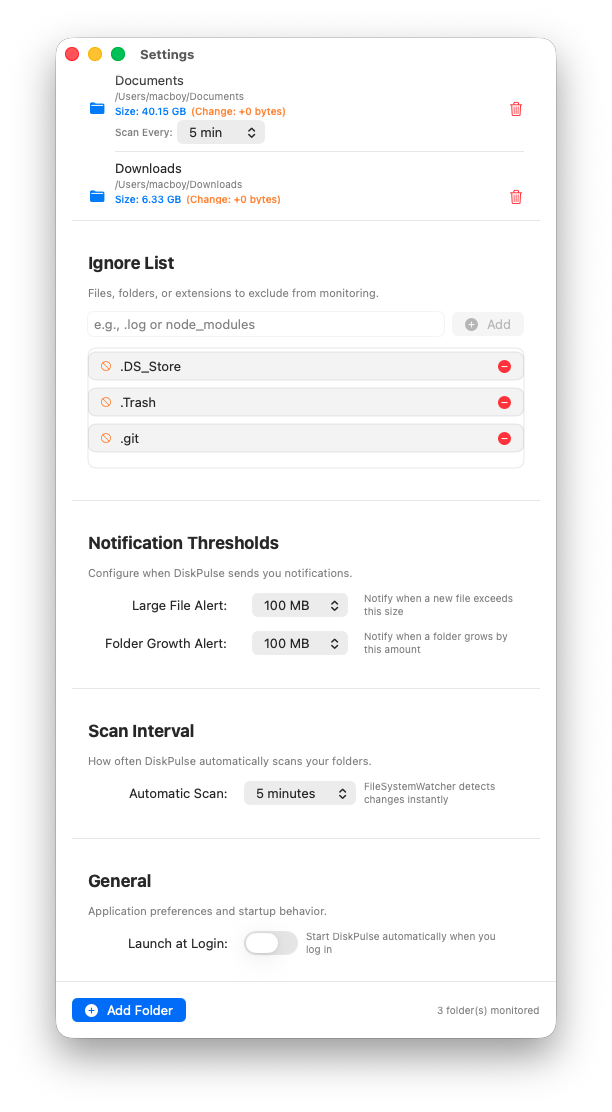
Per-Folder Control,
Right Where You Need It

Tired of one global timer that's too fast for some folders and too slow for others? Now every monitored folder displays its own "Scan Every" picker. Watch your Downloads every minute and your photo library once a day — changes save instantly.

Upgrading from v1.0? All your existing folders are preserved and default to the familiar 5-minute cadence. Zero migration, zero hassle.

DiskPulse Settings view showing per-folder scan interval pickers, ignore list, and notification thresholds

See the difference real-time
awareness makes

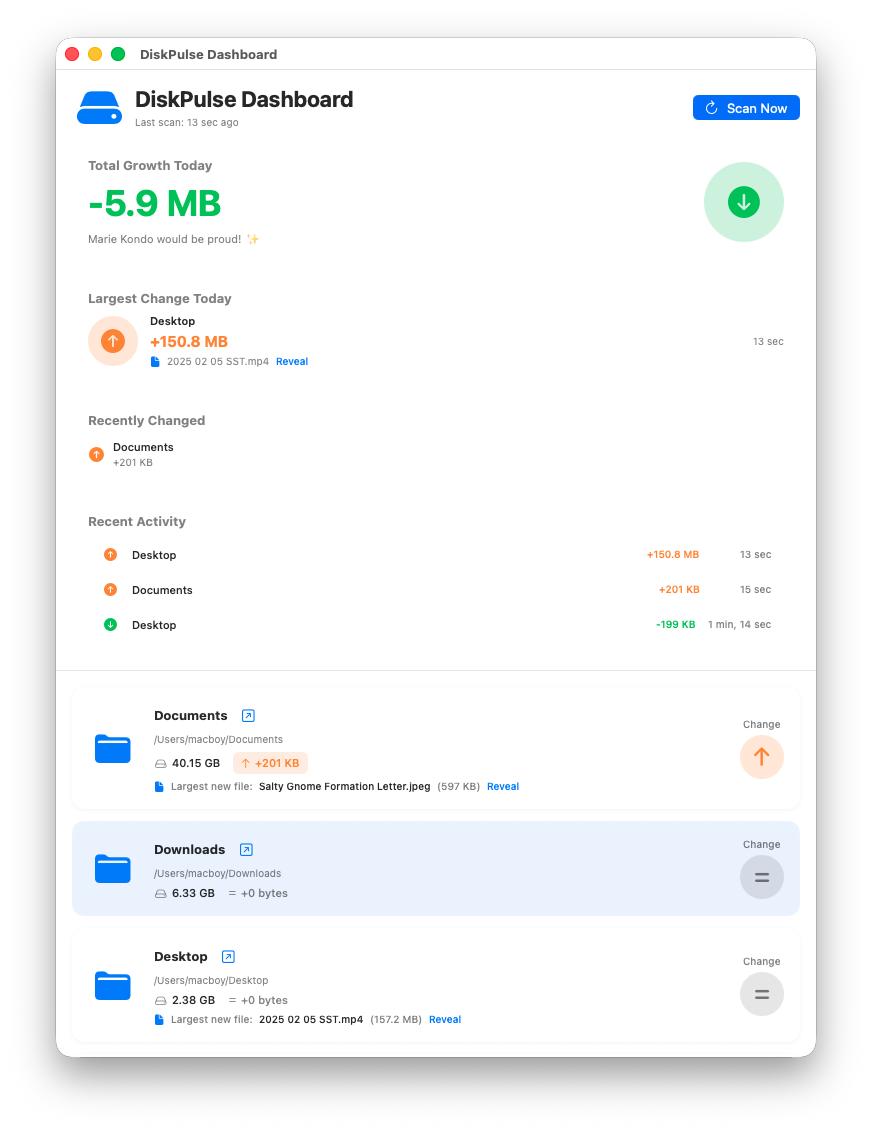
DiskPulse Dashboard showing recent activity, largest change today, and folder cards with live growth data

Live Activity Dashboard

Spot the biggest storage movers instantly — no digging through Finder.

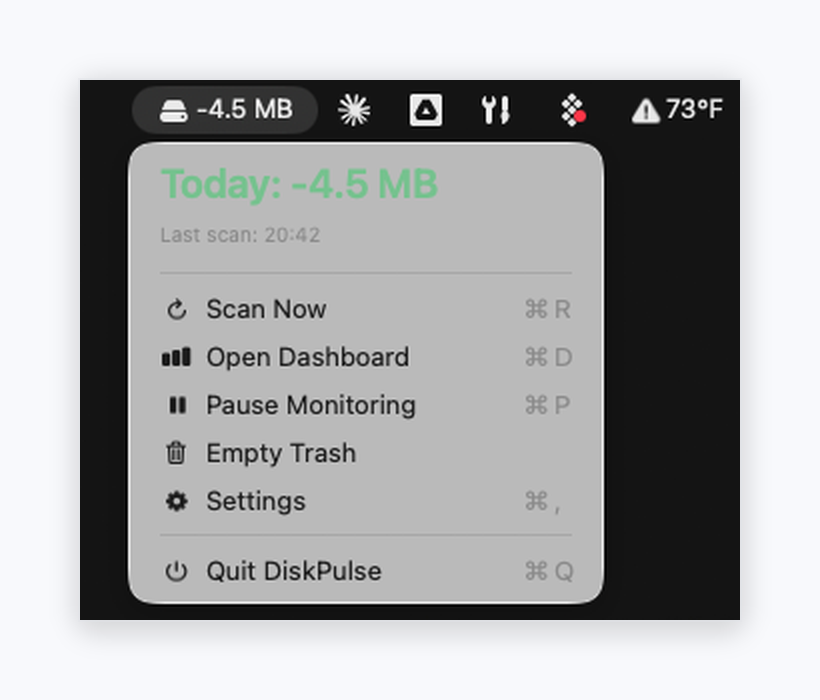
DiskPulse menu bar dropdown showing today's growth summary and quick-access commands

Menu Bar Quick Glance

Today's net change at a glance. One click to scan, pause, or empty Trash.

Stop guessing.
Start knowing.

DiskPulse is coming soon to the Mac App Store. Lightweight, private, and built 100% with native macOS frameworks.

Coming Soon on the Mac App Store